7-Day Trial
$0for your first week
- The full app, free for a week
- Log every workout, rep, and set
- All 9 built-in programs and freestyle mode
- No account, no card up front
- Your data stays on your device either way
Coming soon to the App Store
Forged for intermediate lifters
LiftProof turns every session into evidence that your program is working. Log fast, progress on purpose, and stop guessing whether last month was a plateau or a signal.
Independently published · Our methodology
iPhone and iPad · 7-day free trial
≤5 sec
Per set logged
0 kB
Your data on our cloud
261
Exercises in the library
9
Programs ready to run
What LiftProof actually does
Every other strength app picks one and calls it a product. LiftProof does all three because getting stronger needs all three.
01 · Track
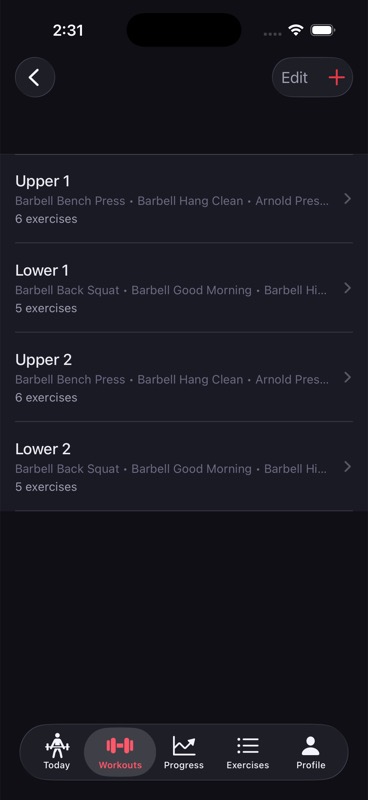
Thumb-zone controls, haptic feedback, an RPE picker that takes one tap. The Ledger keeps the pace of your actual training, not a menu tree between every rep.
See the Ledger →02 · Program
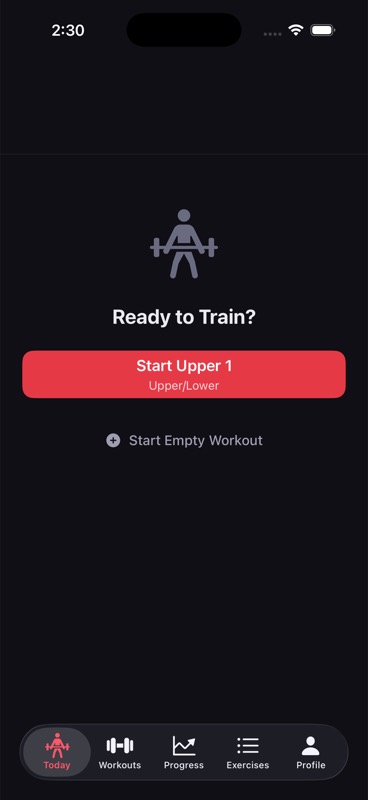
Starting Strength, nSuns 5/3/1, Upper/Lower, PPL, GZCLP. The app adjusts weight targets from what you actually lifted, not a prescribed ramp that ignored you.
Browse programs →03 · Progress
Trend lines per lift, from four weeks to all-time. Plateau signals that mean something. No AI narration, no vague wellness score — just the numbers that map to the iron.
See analytics →Inline logging · Set execution
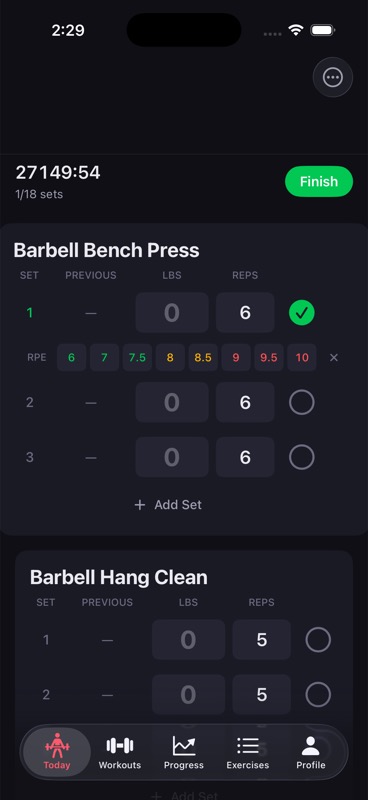
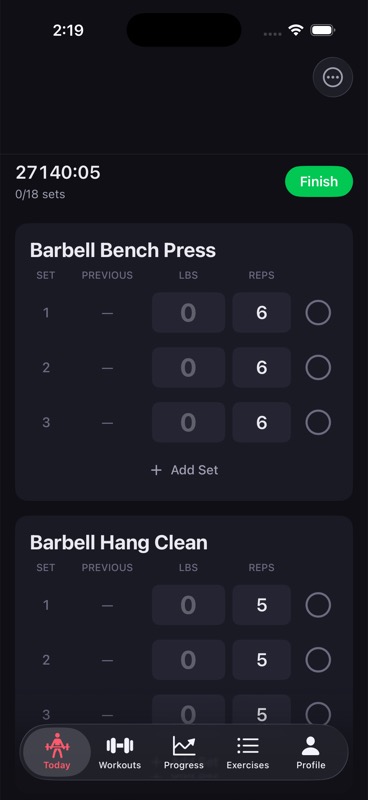
Logging happens on the set row itself. Weight and reps take ± steppers or a docked keypad, RPE unfolds in place, and last session's set repeats with a single tap.
The Ledger · Workout canvas
Ledger holds every set in one long table. Completed sets fade, upcoming sets sit in order, and the workout flexes to your session — not the other way around.
Programming
Nine built-in programs, plus custom. Every program reads your last session and adjusts load and volume from your actual performance — not from a prescribed ramp that ignored you.
Browse all programs →A high-volume 5/3/1 derivative on training maxes and AMRAP top sets. Five days, structured periodization.
View program →Rippetoe's novice linear progression on the big barbell lifts. Add weight every session that worked.
View program →Four-day split. Hypertrophy volume mid-week, intensity day one and four.
View program →Six-day rotation. For lifters who can recover from six sessions a week.
View program →Cody Lefever's tiered autoregulation. Built for intermediates stalling on LP.
View program →Your program, your numbers. Build the whole thing in the app.
View program →The science
LiftProof's defaults draw from the published strength literature. Every recommendation cites its source. Nothing masquerades as medical-grade certainty, and nothing here is a medical claim.
Read the methodology →01
Weekly set targets per muscle group sit inside the evidence-backed landmarks for a lifter at your training age.
02
Set-level RPE feeds back into the program so a bad day adjusts the next session — not a rigid percentage grid.
03
Tier progression pulls from Greg Nuckols’ published percentile dataset. Every tier jump cites the source.
Who it's for
"Finally an app where the logging keeps up with my pace. Three exercises in, I stopped thinking about the app and started thinking about the bar."
Marco R.
U/L split · 4 years lifting
"The trend line on my squat finally showed me why I was stalling — I was undertraining volume, not pushing through a plateau."
Priya S.
5/3/1 BBB · 6 years lifting
"No cloud, no account, no leaderboard. Just the numbers that map to the iron. Exactly what I wanted."
Jon A.
Freestyle · 10 years lifting
Pricing
The trial gives you the whole app. Paid pays for itself the first time you realize your old tracker was hiding a plateau.
7-Day Trial
Paid
or $80 per year (save 33%) · one-time Lifetime unlock available
Common questions
Answers to the 12 things people actually ask before downloading. Still have a question? Help center →
iPhone and iPad. 7-day free trial. $10 per month or $80 per year after — cancel any time.
No account. Your data stays on your device.